



Guides
BNB Chain: How to Explore the Ecosystem Safely with Trust Wallet
Share post
In Brief
Discover how to explore BNB Chain securely using Trust Wallet with essential security tips and practical setup steps.
Key Takeaways:
BNB Chain is a fast, low-cost blockchain ecosystem for decentralized applications, DeFi protocols, and NFT marketplaces, making it popular among crypto users worldwide.
Trust Wallet provides native support for BNB Chain, enabling you to manage BNB tokens, interact with dApps, and explore the ecosystem directly from your mobile device.
Security starts with proper wallet setup: Never share your recovery phrase, verify contract addresses before transactions, and use the built-in DApp Browser for safer interactions.
BNB Chain has become one of the most active blockchain ecosystems in crypto, hosting thousands of decentralized applications and attracting millions of users. The network's combination of fast transaction speeds and low fees makes it attractive for everything from trading to gaming.
Trust Wallet offers a secure gateway to explore BNB Chain safely. As a self-custody wallet, you maintain complete control over your private keys and assets while accessing the full range of BNB Chain's features. This guide walks you through setting up BNB Chain in Trust Wallet and implementing security measures that protect your funds as you navigate the ecosystem.
Understanding the BNB Chain Ecosystem
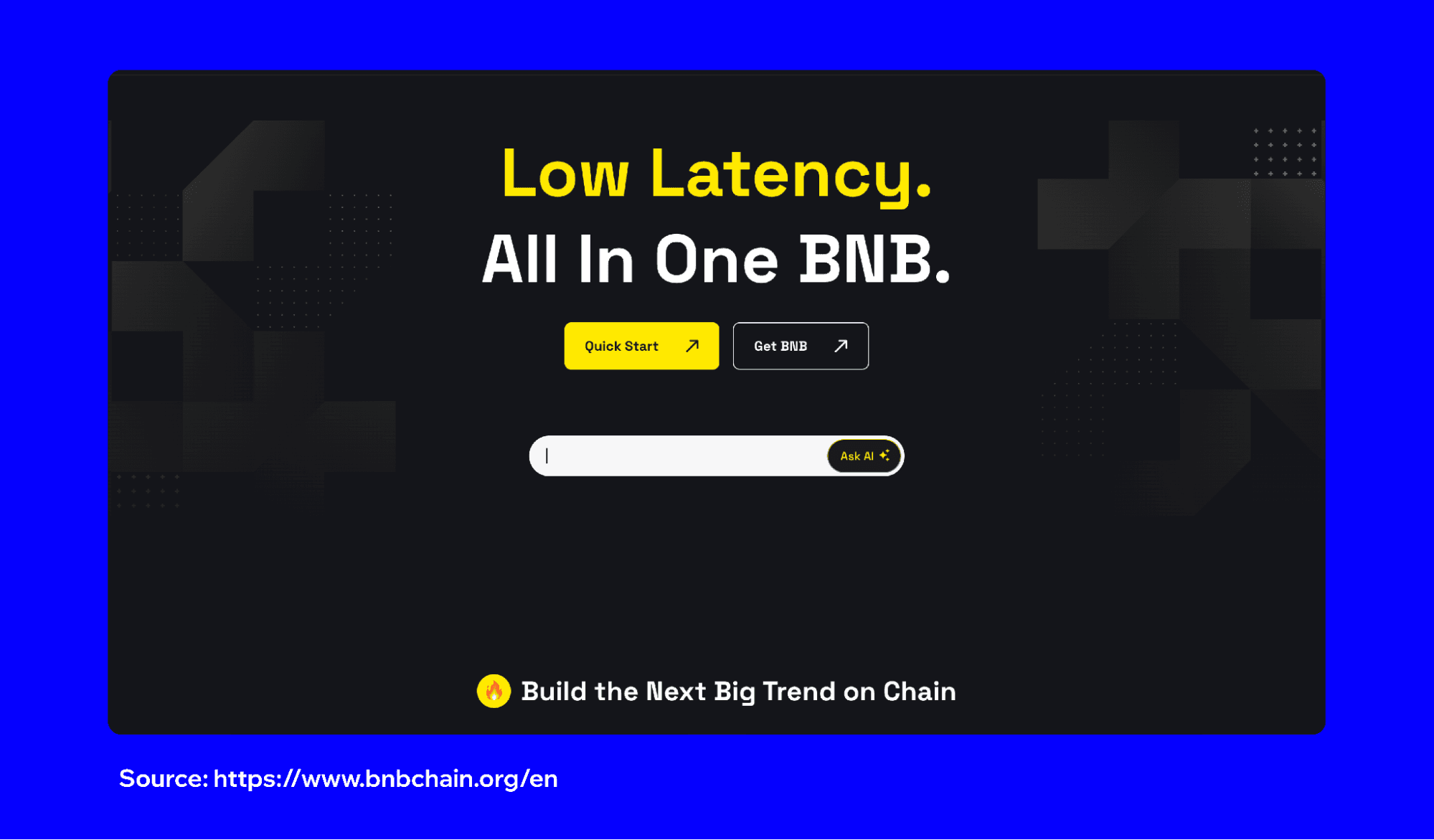
BNB Smart Chain (BSC) now operates as the unified blockchain for the entire Binance ecosystem following the BNB Chain Fusion completed in November 2024. The previous dual-chain architecture has been consolidated, with all functionalities, including staking, governance, DeFi, and smart contracts, now residing on BSC. This simplification creates a more streamlined experience for users while maintaining the network's speed and efficiency.
The ecosystem hosts popular platforms across multiple categories. DeFi protocols like PancakeSwap enable token swapping and yield farming. NFT marketplaces offer digital collectibles and gaming assets. Play-to-earn games reward users with tokens for gameplay. BSC's compatibility with Ethereum's Virtual Machine (EVM) means developers can easily migrate Ethereum-based projects, expanding the range of available applications.
BNB serves as the native token for transaction fees, staking, and participating in various applications. You'll need BNB in your wallet to pay for gas fees when sending tokens, interacting with smart contracts, or minting NFTs. Trust Wallet's FlexGas feature offers an alternative by enabling you to pay transaction fees using other tokens like USDT, USDC, or TWT instead of BNB, making it easier to transact even when your BNB balance runs low. Understanding these basics helps you prepare properly before exploring BNB Smart Chain.
Adding BNB Chain in Trust Wallet
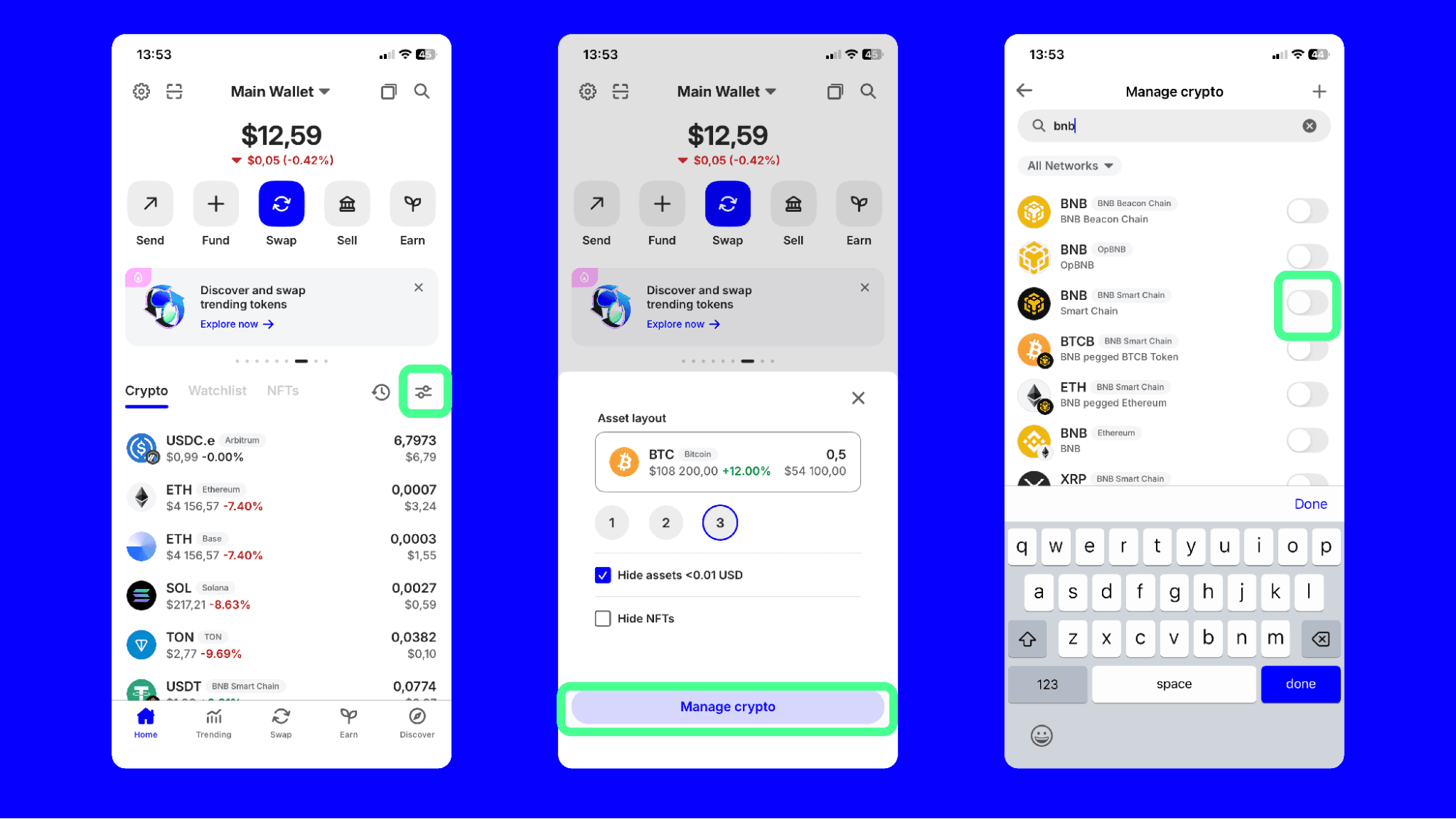
Trust Wallet includes BNB Smart Chain support by default, making setup simple. When you create a new wallet or restore an existing one, BSC becomes available automatically. You can start receiving and sending BNB tokens immediately after completing the initial wallet setup.
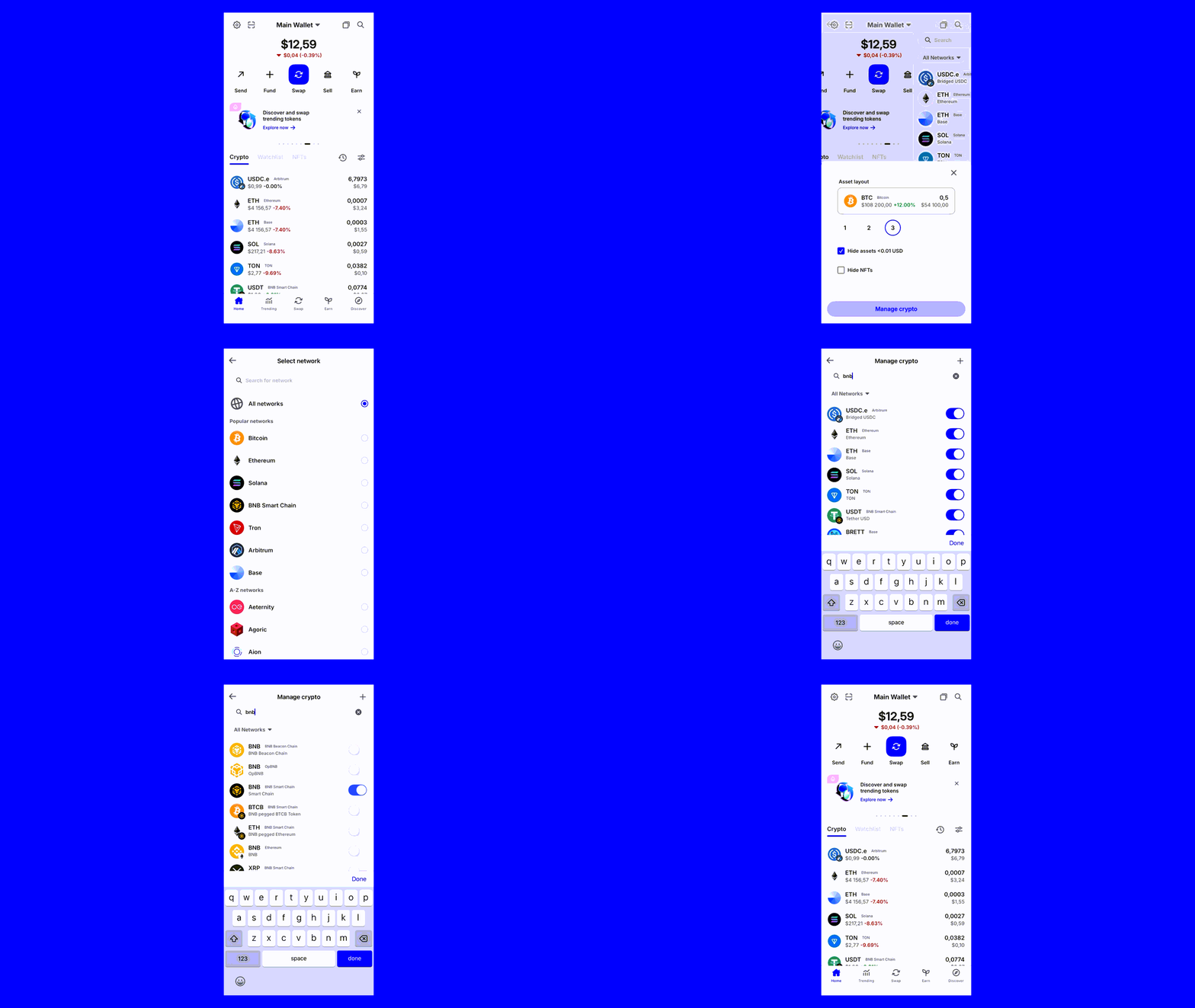
To view your BSC assets, open Trust Wallet and look for BNB or BNB Smart Chain in your token list. If you don't see it displayed, tap the toggle icon in the middle right of your wallet screen. Select “manage crypto" and search for "BNB" and enable the network.
Security Tips for Safe BNB Chain Exploration
Your recovery phrase represents complete access to your wallet and funds. Never share this phrase with anyone, including support staff or team members from projects. Trust Wallet will never ask for your recovery phrase through email, social media, or any other channel. Write it on paper and safely store it offline. Anyone with access to this phrase can drain your entire wallet.
Scammers frequently create fake tokens that mimic legitimate projects. Before purchasing any token, verify the official contract address through the project's website or verified social media channels. Fake tokens often appear in your wallet automatically as part of "dusting attacks" designed to trick you into interacting with malicious contracts. If you receive unexpected tokens, research them thoroughly before attempting to sell or swap them.
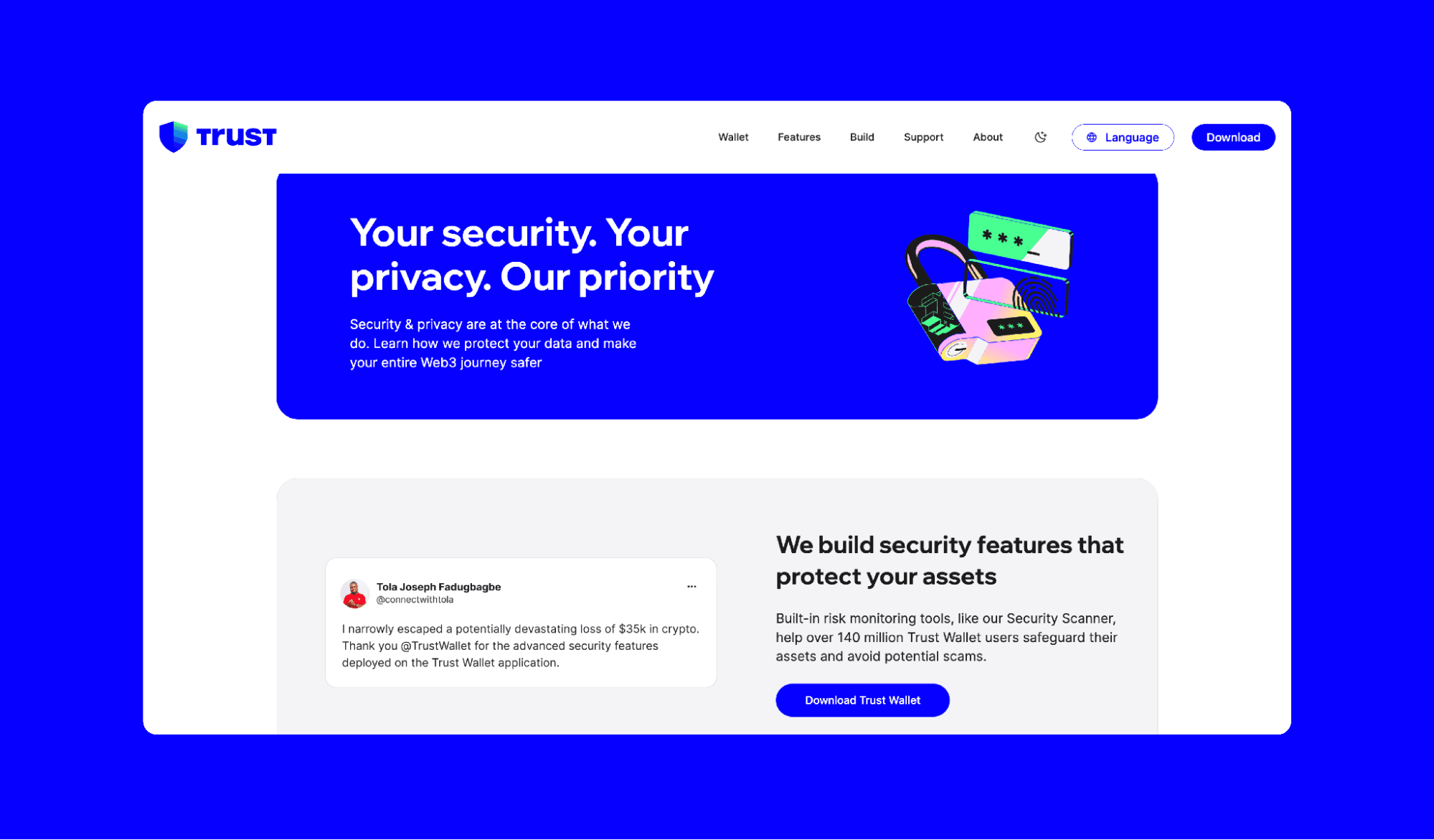
Phishing websites copy the appearance of legitimate platforms to steal your credentials or trick you into approving malicious transactions. Always double-check website URLs before connecting your wallet. Bookmark your frequently used platforms and access them through saved links rather than search engines. Be suspicious of social media advertisements promoting "limited time" opportunities or guaranteed returns.
Using the DApp Browser Safely
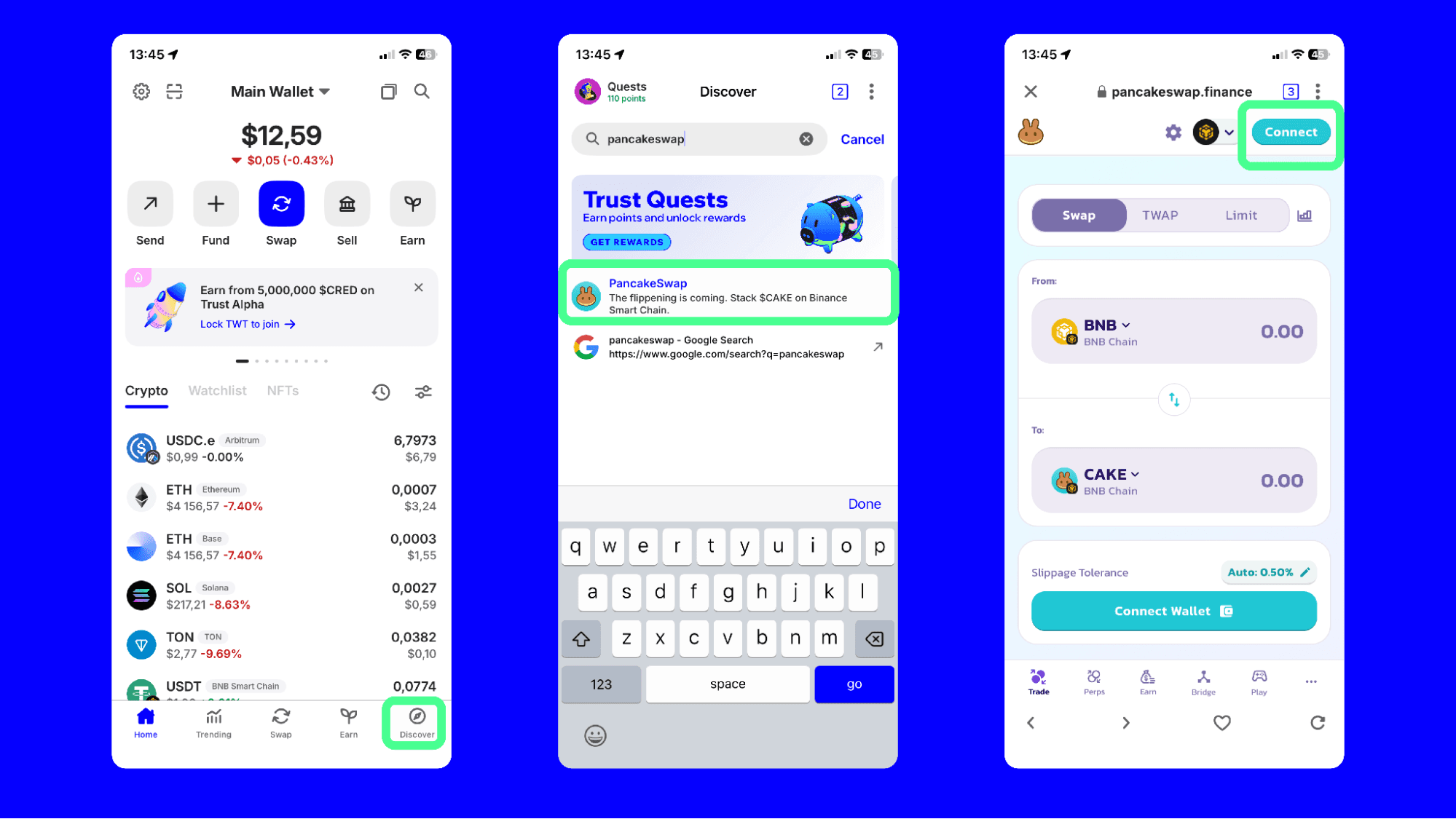
Trust Wallet's built-in DApp Browser provides secure access to BNB Chain applications without leaving your wallet. Open the browser by tapping the DApp icon at the bottom of your screen. You can search for specific platforms or browse featured applications vetted by the Trust Wallet team. This integrated approach reduces exposure to malicious websites and simplifies the connection process.
When connecting to any dApp, review the permissions carefully. Most platforms request approval to view your wallet address and token balances. Be cautious about applications requesting permission to spend unlimited amounts of your tokens. You can modify these permissions to set specific spending limits, which protects your funds if a platform gets compromised or contains vulnerabilities.
Recognizing and Avoiding Common BNB Chain Scams
Fake airdrops represent one of the most common scams on BNB Chain. You might receive messages about "exclusive" token distributions requiring you to visit a website and "verify" your wallet. Legitimate airdrops never ask for your recovery phrase or require you to pay fees to claim tokens. Be skeptical of unsolicited offers, especially those creating urgency or pressure to act quickly.
Rug pulls occur when developers abandon projects after collecting investor funds. Warning signs include anonymous teams, lack of audited smart contracts, and promises of unrealistic returns. Research projects thoroughly before investing, checking for team transparency, third-party audits, and community reputation. No legitimate investment guarantees profits or promises risk-free returns.
Best Practices for Ongoing Security
Enable additional security features in Trust Wallet settings. Set up biometric authentication (fingerprint or face recognition) for accessing your wallet. Create a strong passcode as a backup authentication method. These features prevent unauthorized access if someone gains physical access to your device.
Keep your wallet software updated. Trust Wallet regularly releases security patches and improvements. Enable automatic updates on your device to ensure you're always running the latest version. Outdated software can contain vulnerabilities that expose your funds to risks.
Start with small transactions when trying new platforms or features. This practice limits potential losses if something goes wrong and helps you learn how the platform works before committing larger amounts. Once you're comfortable with a platform's interface and security, you can gradually increase your transaction sizes.
Closing Thoughts
Exploring BNB Chain through Trust Wallet opens access to an ecosystem of decentralized applications and opportunities. The combination of self-custody security and user-friendly features makes Trust Wallet an excellent choice for both new and experienced crypto users. Following security best practices and staying alert to common scams, you can confidently participate in the BNB Chain ecosystem.
Your security depends primarily on your own actions and awareness. Take time to verify information, review transactions carefully, and never rush into opportunities that seem too good to be true. The decentralized nature of crypto means you're responsible for protecting your assets.
Disclaimer: Content is for informational purposes and not investment advice. Web3 and crypto come with risk. Please do your own research with respect to interacting with any Web3 applications or crypto assets. View our terms of service.
Join the Trust Wallet community on Telegram. Follow us on X (formerly Twitter), Instagram, Facebook, Reddit, Warpcast, and Tiktok
Note: Any cited numbers, figures, or illustrations are reported at the time of writing, and are subject to change.