




お知らせ
Introducing Trust Wallet AI
投稿をシェア
概要
Trust Wallet AI is now available to all users on app version 26.28.4 and above. Ask questions, read your portfolio, and assemble on-chain actions — right inside your wallet, fully self-custodial.
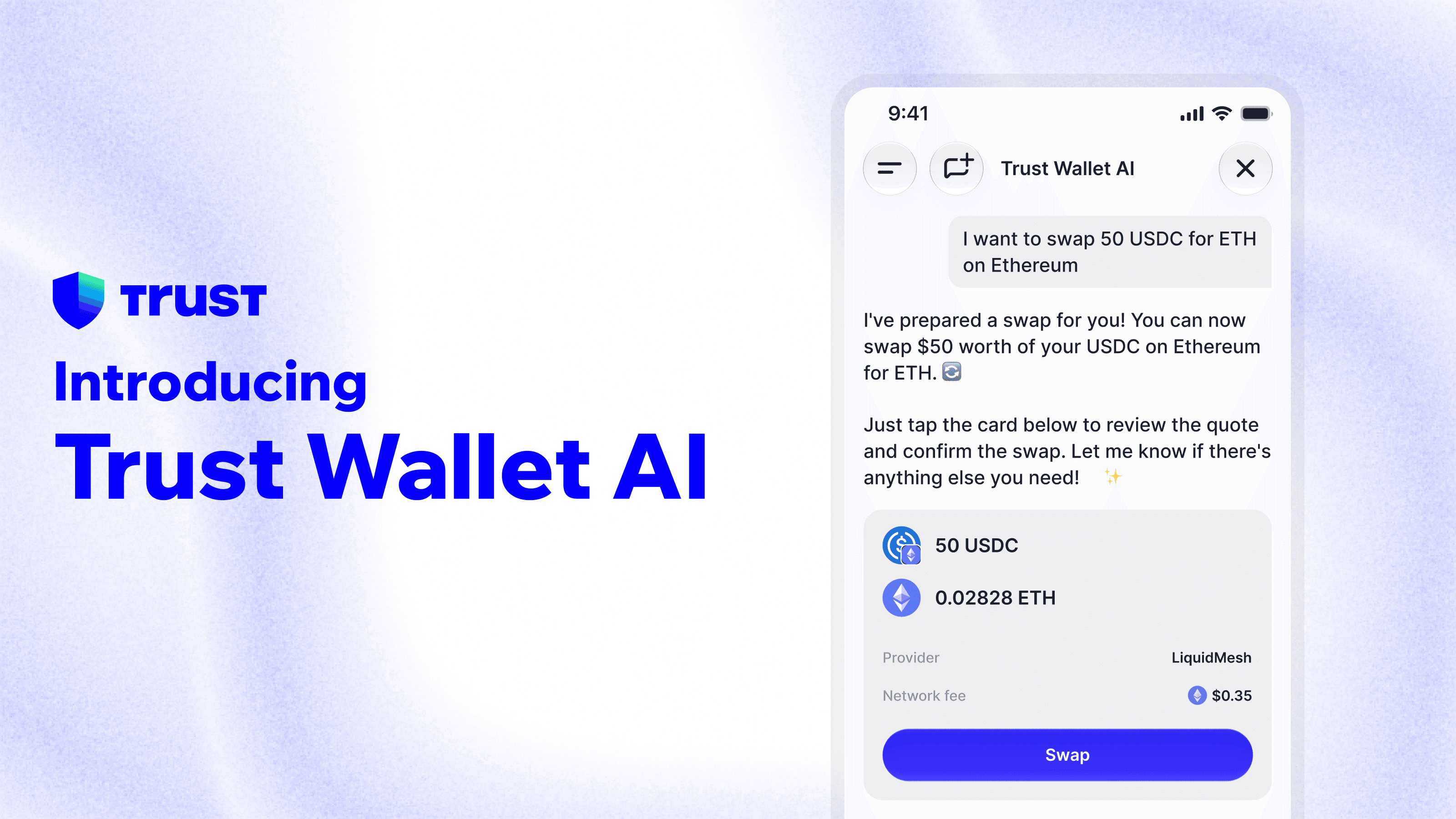
Trust Wallet AI is now live for Trust Wallet users.
You can ask it what's moving in the market, check how your portfolio has been performing, get answers to any crypto question, and assemble transactions you choose — swaps, buys, sends — without leaving the app. It knows your actual holdings across chains, so answers are relevant to you, not generic.
This is the AI built into Trust Wallet. It's been running for a group of early users since earlier this year. Today it's available to everyone.
What Trust Wallet AI Can Do
Ask it anything about your portfolio or the market. Ask "how am I doing this month?" and it will give you a read of your holdings. Ask "what's moving today?" and it will surface what's relevant. Ask about a token — "tell me more about BNB," "what are the risks with this token?" — and it goes deeper.
It can also help you act. Tell it you want to swap ETH for USDC, or send BNB, or buy a token. It will assemble the transaction you choose for your review and show it to you. Nothing executes until you confirm. Your assets never move without your approval.
It can surface risk signals too — look-alike tokens, low-liquidity assets, potential honeypots — as a prompt to do your own research before signing. Not a guarantee. Trust Wallet AI provides information only. It does not recommend, advise on, or tell you what to do with any asset.
Lives Right in Your Wallet
Because Trust Wallet AI has access to your real portfolio data across chains, it can give context-aware answers, surfacing personalized information relevant to your holdings. That's the difference between a generic crypto chatbot and something that actually knows where you stand.
Your keys and assets stay with you throughout. Trust Wallet AI can read your holdings and assemble actions, but it operates on a strictly read-and-prepare basis. It cannot and will not move your assets autonomously. Every on-chain action requires your confirmation.
To generate output, Trust Wallet AI sends your message, the token you are viewing, and your wallet address and balance to our AI infrastructure provider. This data is never used to train AI models.
How to Find Trust Wallet AI
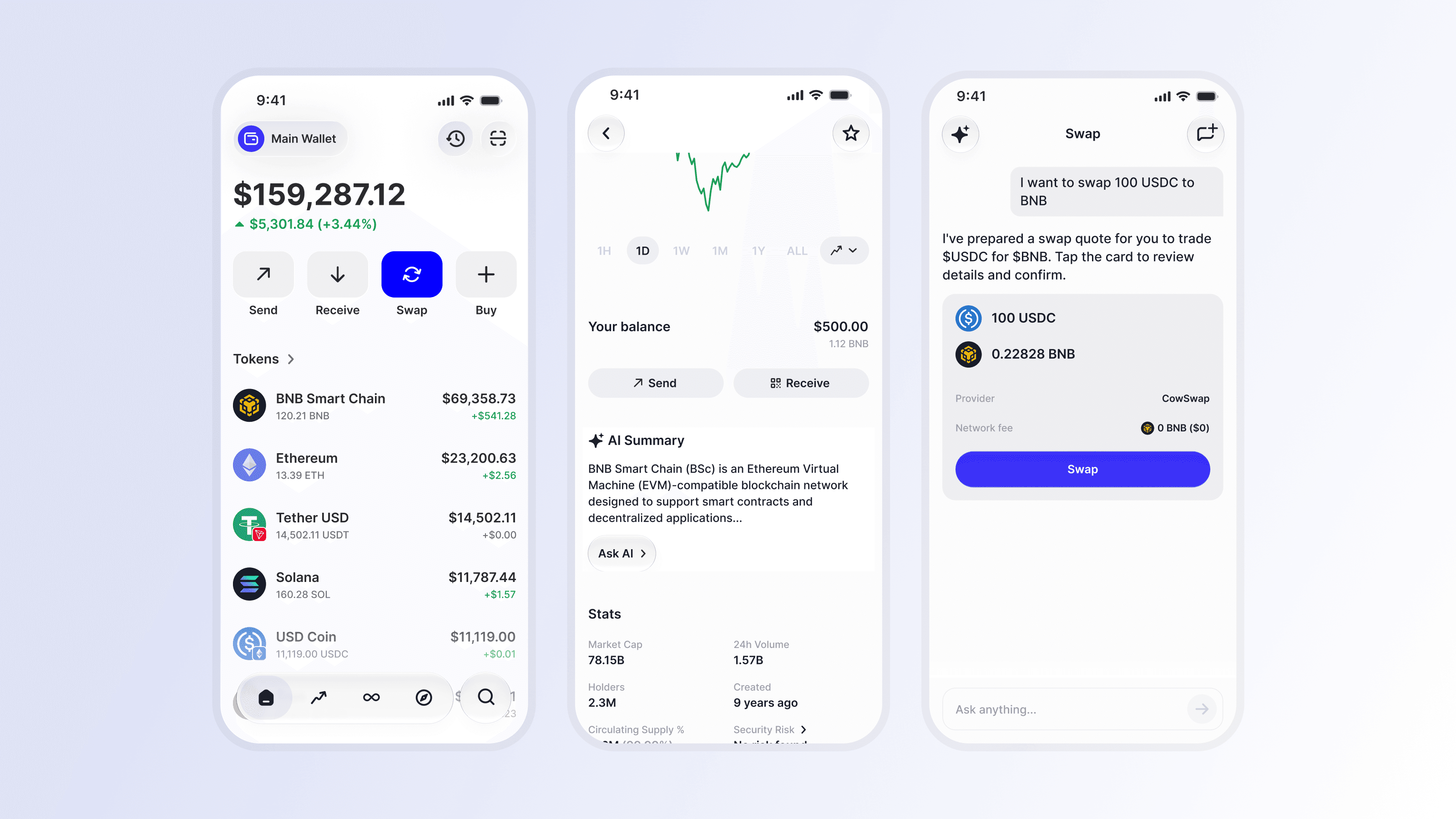
Open Trust Wallet (version 26.28.4 or above required).
Tap on Trust Wallet AI on the homepage, or on any of the asset detail pages.
Type a question to get started.
A note on AI output: Trust Wallet AI can be wrong. Like any AI, it can make mistakes or surface inaccurate information. Always verify anything important before acting on it. Trust Wallet AI output is not financial advice.
Disclaimer: Trust Wallet AI is an artificial intelligence feature built into the Trust Wallet app. It is provided for informational and convenience purposes only and does not constitute financial, investment, tax, or legal advice. Trust Wallet AI provides information only. It does not recommend, endorse, or advise on buying, selling, or holding any asset, does not assess whether anything is suitable for you, and does not tell you what to do. All decisions are yours. To generate outputs, Trust Wallet AI shares your message, the token you are viewing, and your wallet address and balance with our AI infrastructure provider; this data is never used to train AI models. Outputs may be inaccurate, incomplete, or outdated and should not be relied on as the sole basis for any decision. Risk signals such as look-alike tokens, low liquidity, or potential honeypots are informational flags only, not a guarantee of safety and the absence of a flag does not mean an asset or transaction is safe. Market and portfolio data may be sourced from third parties and may be delayed or inaccurate. Every transaction requires your explicit review and confirmation, and Trust Wallet AI has no access to your private keys and cannot move your assets. Availability may vary by jurisdiction and is subject to change. You are solely responsible for independently verifying any information provided to you including token identity, contract addresses, and transaction details before signing or confirming any transaction. Subject to our Terms of Service https://trustwallet.com/terms-of-service and Privacy Policy https://trustwallet.com/privacy-notice.
FAQ
What is Trust Wallet AI? Trust Wallet AI is the AI built into Trust Wallet (available on app version 26.28.4 and above). You can ask it about the market, your portfolio, and individual tokens, and use it to assemble on-chain actions you choose like swaps, buys, and sends — all without leaving the app. It's not a separate product; it lives inside your wallet and can see your actual holdings. Trust Wallet AI provides information only — it does not recommend, advise on, or tell you what to do with any asset.
Does Trust Wallet AI trade for me? Will it move my money? No. Trust Wallet AI only assembles actions, it never executes them on its own. Any transaction has to be reviewed and confirmed by you before anything happens. Your assets do not move unless you approve it.
Is it safe? Can Trust Wallet AI access my private keys? No. Your private keys and assets stay self-custodial with you at all times. Trust Wallet AI cannot access your keys, and it cannot move your assets. The AI can read your portfolio data to give you relevant answers and assemble transactions for your review. Nothing more.
Is Trust Wallet AI giving me financial advice? No. Trust Wallet AI output is for informational purposes only. It can be inaccurate, and it is not financial advice. Do not make financial decisions based solely on what Trust Wallet AI tells you.
Can Trust Wallet AI make mistakes? Yes, occasionally. Trust Wallet AI is designed to be as accurate as possible, but like all AI assistants, it may sometimes return information that is outdated, incomplete, or incorrect. We recommend verifying critical details independently — especially token identity and transaction parameters — before signing or confirming any transaction. Trust Wallet AI's responses are informational only and do not constitute financial advice.
What can I actually ask Trust Wallet AI? A few things people use it for:
Market reads — "what's moving today?", "how has BTC been performing?"
Portfolio — "how am I doing this month?", "what's my biggest position?"
Token research — "tell me more about BNB", "what are the risks with this token?"
Transaction prep — "I want to swap ETH for USDC", "help me send BNB"
What-if scenarios — "how would my portfolio look if I added $500 of ETH?"
What does "assemble transactions" mean exactly? When you ask Trust Wallet AI to help you execute an on-chain action, it assembles the transaction you choose and presents it for your review — the details, the amounts, the destination. You see exactly what will happen before anything is signed. You confirm, or you don't. The AI has no ability to sign or broadcast a transaction independently.
How do I find Trust Wallet AI in the app?
Open Trust Wallet.
Locate Trust Wallet AI on the app homepage, or on the asset detail pages.
Disclaimer: Content is for informational purposes and not investment advice. Web3 and crypto come with risk. Please do your own research with respect to interacting with any Web3 applications or crypto assets. View our terms of service.
Join the Trust Wallet community on Telegram. Follow us on X (formerly Twitter), Instagram, Facebook, Reddit, Warpcast, and Tiktok
Note: Any cited numbers, figures, or illustrations are reported at the time of writing, and are subject to change.