



BLOG_PAGE.section-article.category.company
Trust Wallet integrates Robinhood Chain
Chia sẻ bài đăng
Tóm tắt
Explore Robinhood Chain on Trust Wallet with new support that lets you send, receive, and securely store assets built on the network, all in self-custody.
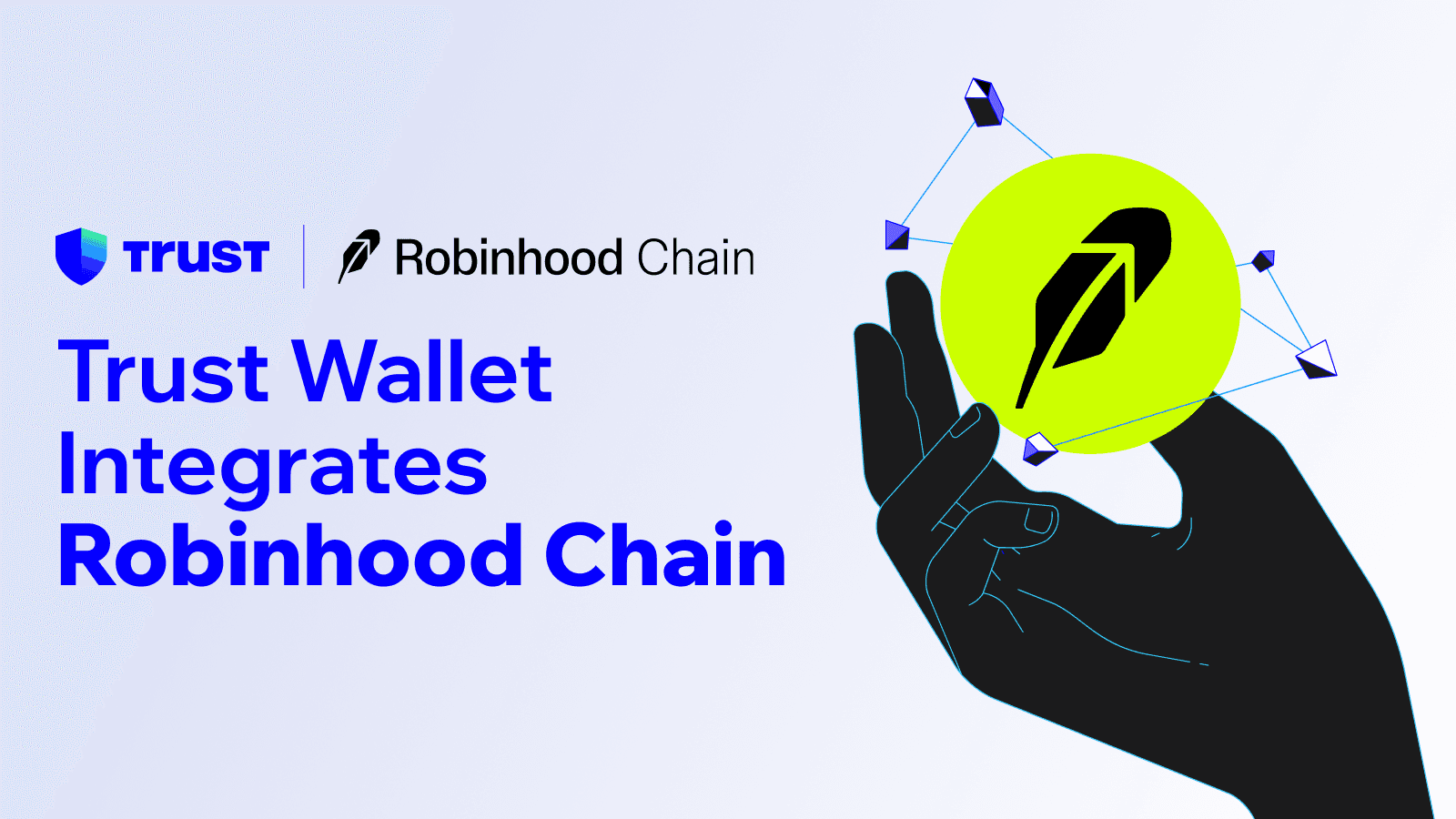
We're excited to share that Trust Wallet now supports Robinhood Chain. This integration lets you send, receive, manage, and securely store tokens issued on Robinhood Chain, directly in your wallet. Network support is live on the Trust Wallet mobile app and browser extension.
Adding Robinhood Chain expands Trust Wallet's multi-chain coverage and gives you smoother access to a network built for onchain finance. You stay in full control of your assets the whole time.
About Robinhood Chain
Robinhood Chain is a permissionless, Ethereum-compatible Layer-2 network designed for a new generation of onchain finance — a place where tokenized markets, crypto, and real-world assets come together on fast, efficient rails.
It reflects Robinhood's wider goal of opening up global financial markets to more people and giving users and developers modern tools to build with. The network makes it possible to move, reach, and manage digital assets from anywhere, with no middlemen and no platform lock-in.
To use the new integration, make sure you have the latest version of Trust Wallet.
How to Receive and Send Robinhood Chain Assets in Trust Wallet
Depositing or withdrawing assets on Robinhood Chain is straightforward. Here's how it works.
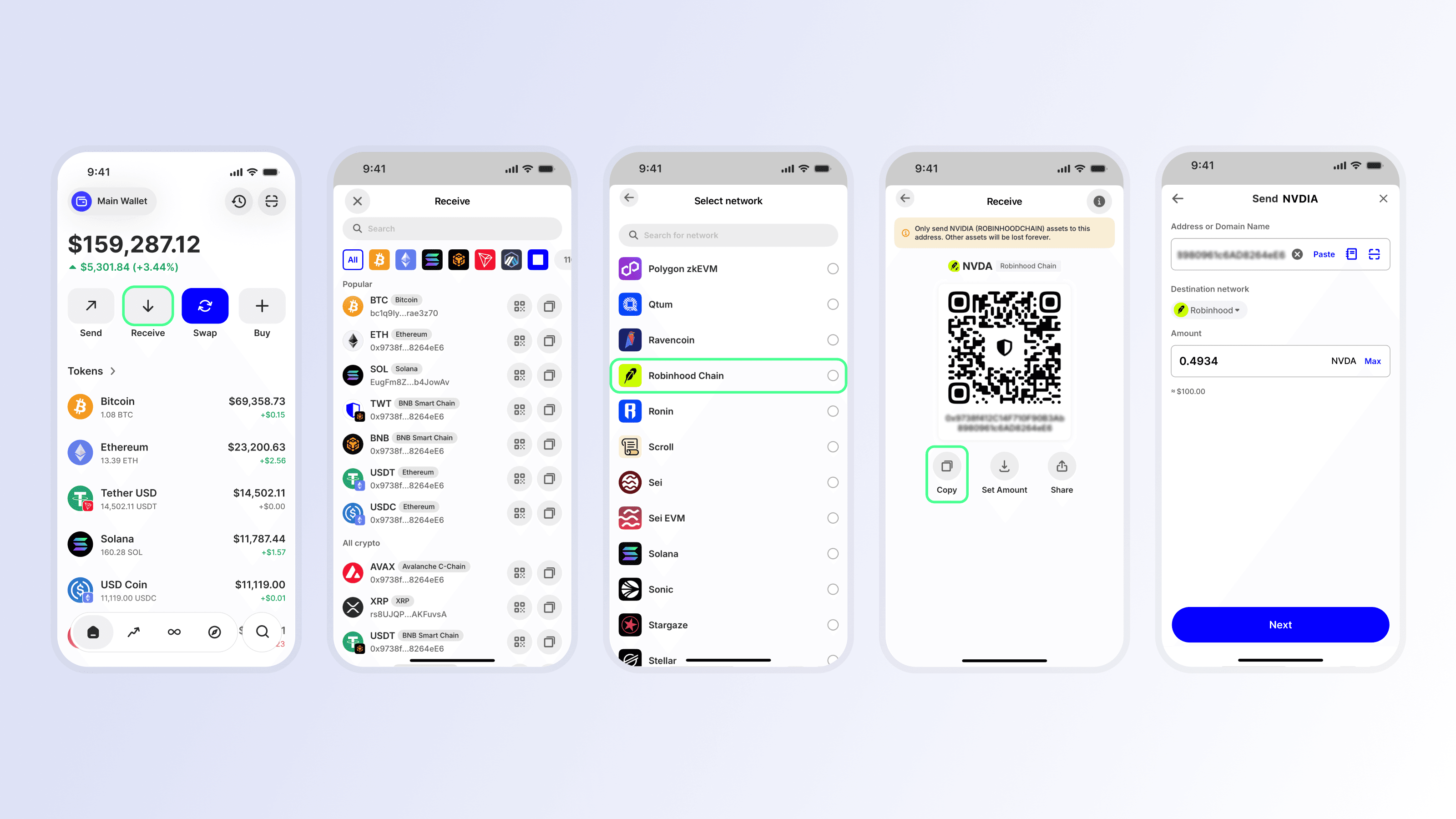
Receive Assets on Robinhood Chain to Trust Wallet
Tap the Receive icon from the home screen.
Search for "Robinhood Chain" or click on the Robinhood Chain logo.
Select the asset you wish to receive.
Copy your deposit address or QR code.
Paste this address or scan the QR code into the sending wallet or platform you're transferring from.
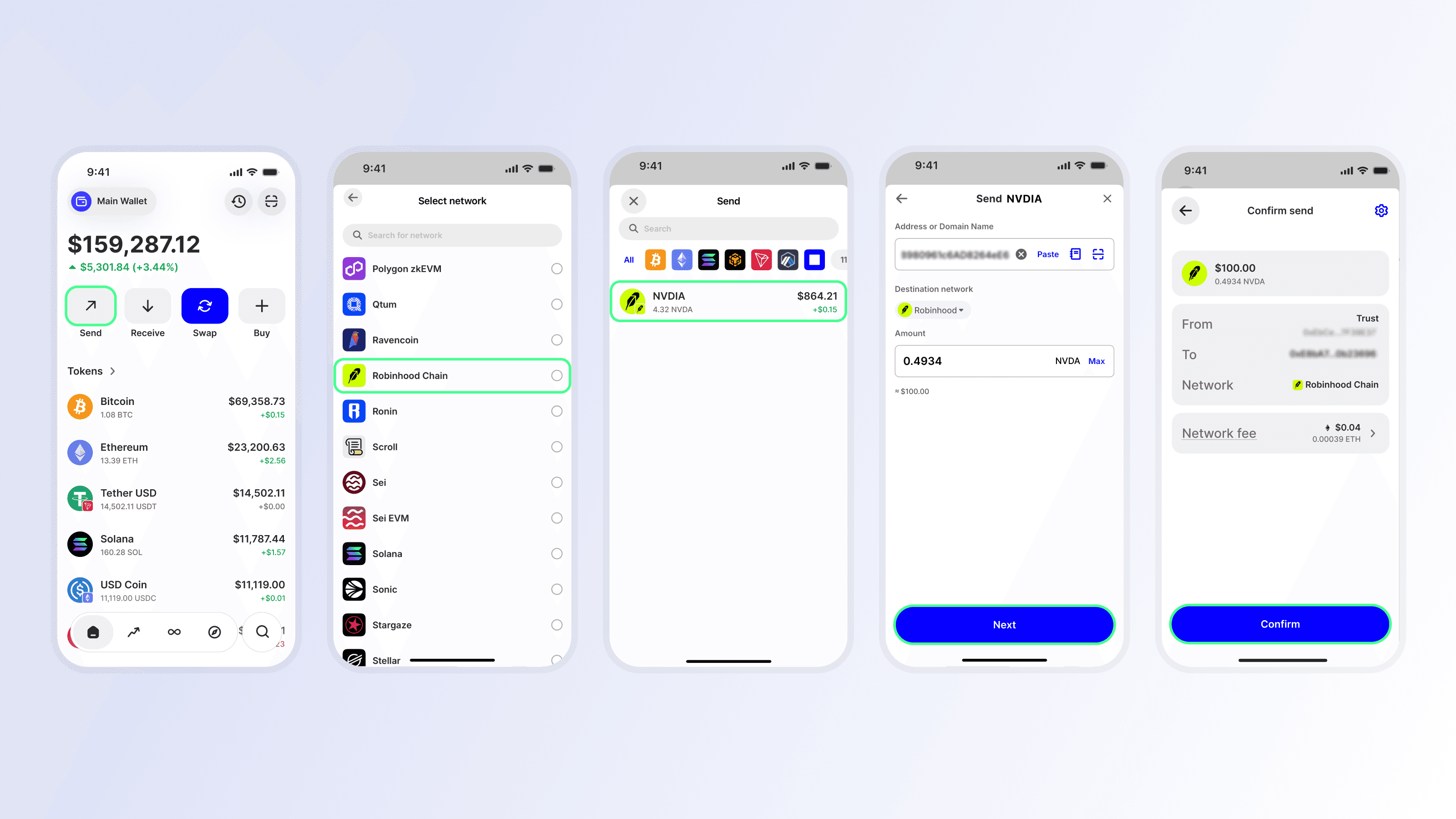
Send Assets Out From Trust Wallet on Robinhood Chain
Tap the Send icon from the home screen.
Search for "Robinhood Chain" or click on the Robinhood Chain logo.
Select the asset you wish to send.
Enter the destination address and amount.
Review the details and select Confirm.
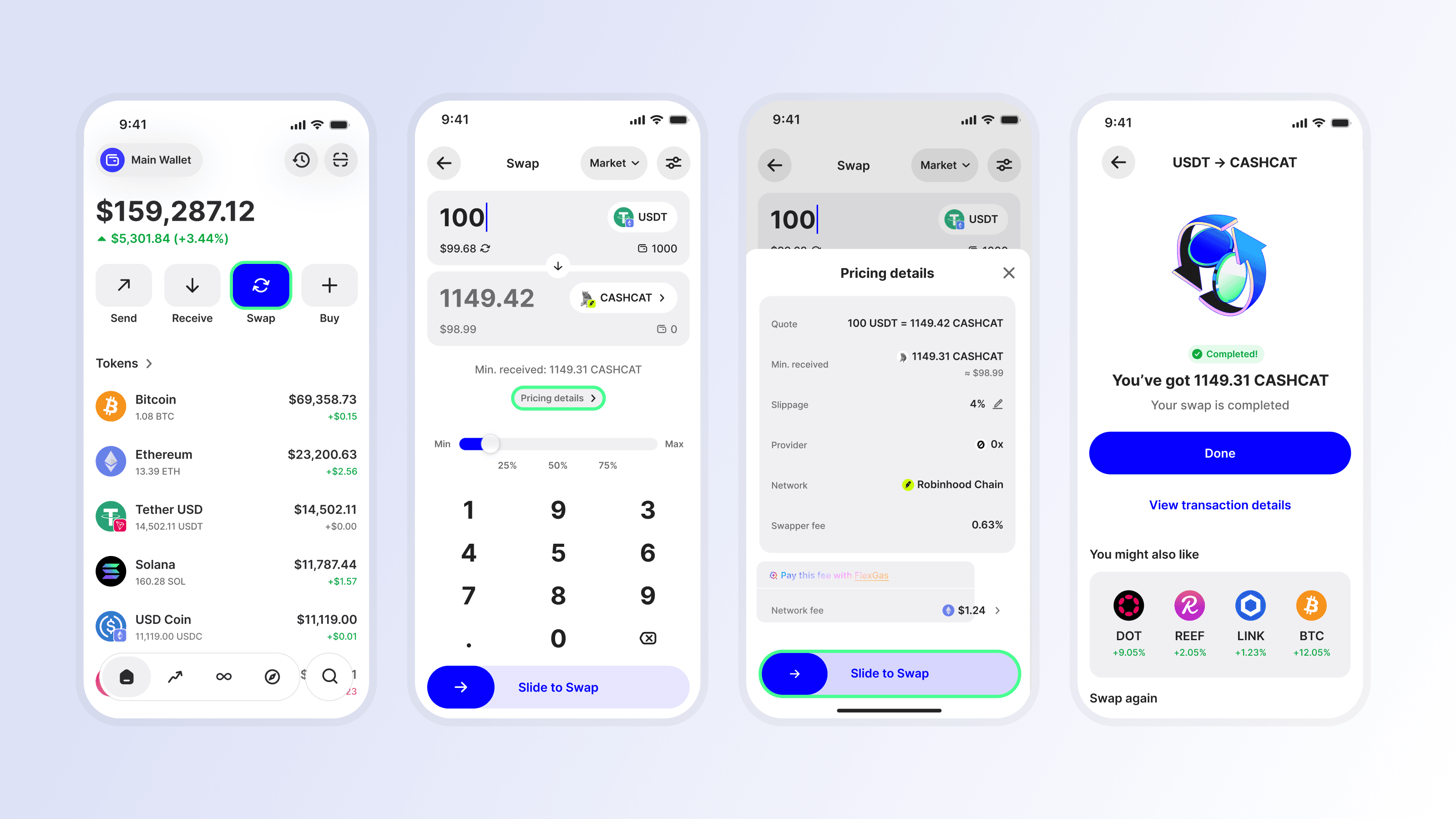
Swap Assets on Trust Wallet on Robinhood Chain
Tap the Swap icon from the home screen.
Select the token and the chain (Robinhood Chain) that you wish to swap from, and enter the amount.
Select the token and the chain (Robinhood Chain) that you wish to swap to, and enter the amount.
Review the quote and select Confirm.
Stay Tuned for More Updates
This integration is only the beginning. Robinhood Chain brings tokenized markets, crypto, and real-world assets together on one open network, and supporting it opens the door to richer onchain experiences for users and developers alike. Stay tuned for exclusive Trust Wallet campaigns with Robinhood!
Update to the latest version of Trust Wallet today to start exploring Robinhood Chain — and stay tuned as we keep building toward a world where you can truly own, access, and move your assets freely, without intermediaries or platform lock-in.
Disclaimer: Content is for informational purposes and not investment advice. Web3 and crypto come with risk. Please do your own research with respect to interacting with any Web3 applications or crypto assets. View our terms of service.
Join the Trust Wallet community on Telegram. Follow us on X (formerly Twitter), Instagram, Facebook, Reddit, Warpcast, and Tiktok
Note: Any cited numbers, figures, or illustrations are reported at the time of writing, and are subject to change.