




Guias
Using Stablecoins for Everyday Money Transfers: What to Know
Partilhar publicação
Em resumo
Learn how stablecoins make everyday money transfers faster and more affordable, and how Trust Wallet helps you store, send, and earn with them.
Key Takeaways
Stablecoins are digital assets that hold steady value, making them a practical tool for sending money across borders without the high fees of traditional transfer services.
Trust Wallet is a non-custodial wallet that enables you to store, send, and earn with stablecoins. You stay in control of your funds at all times.
The Cash Deposits feature in Trust Wallet, powered by Coinme, lets eligible U.S. users (in 48 states, excluding New York and Texas) convert physical cash into crypto at retail locations. No bank account is required.
Sending money to family abroad, paying a freelancer in another country, or simply keeping your savings in a stable digital form are real, everyday needs. Stablecoins are making all of this simpler, faster, and more affordable than traditional methods. This article walks you through what stablecoins are, why they work so well for transfers, and how you can store, send, and earn with them using Trust Wallet, including a new feature that lets U.S. users fund their wallet with physical cash.
What Is a Stablecoin?
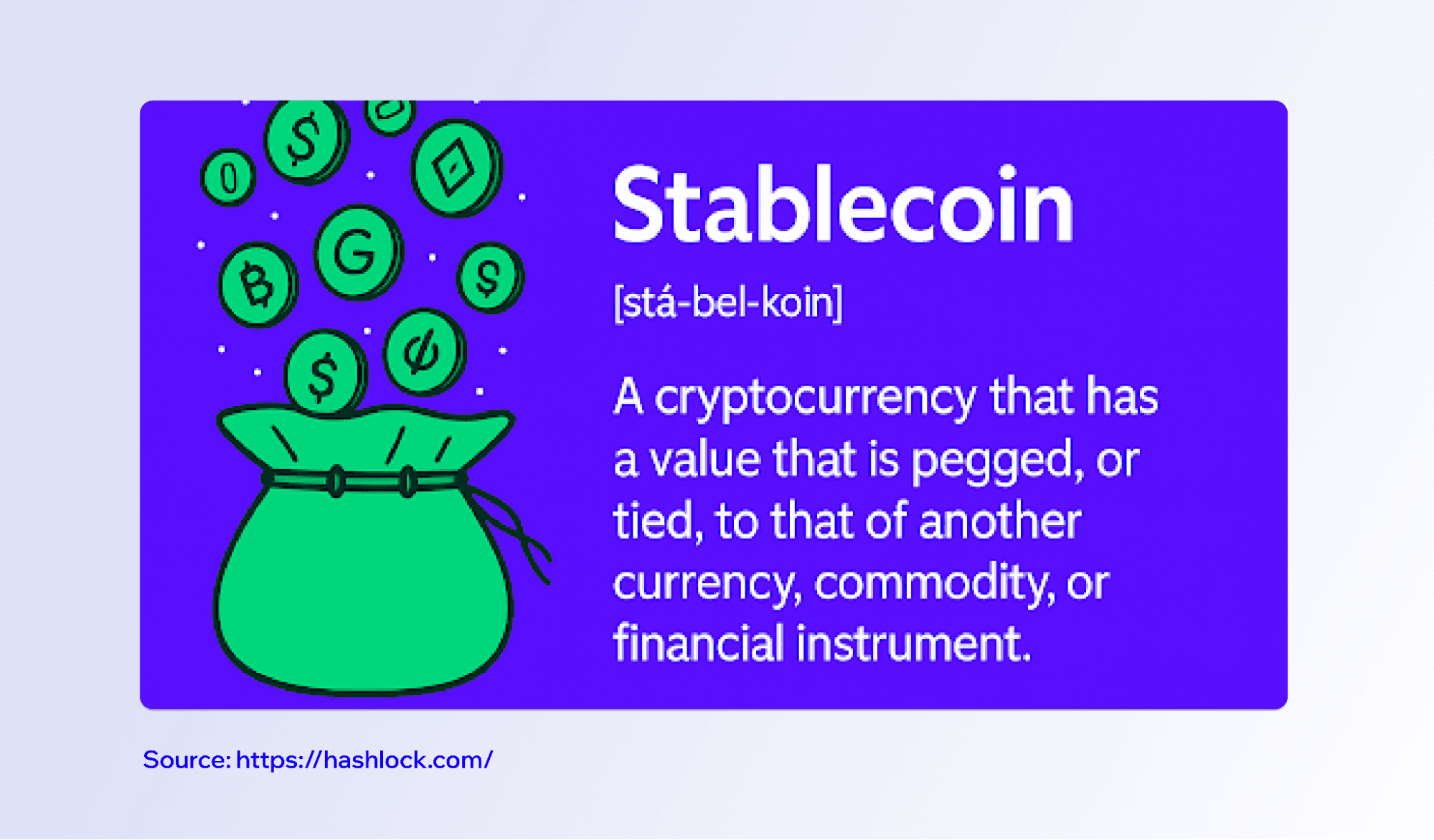
A stablecoin is a type of cryptocurrency designed to maintain a stable value, usually by being pegged to a traditional currency like the U.S. dollar. Other cryptocurrencies, like Bitcoin or Ethereum, experience significant price fluctuations. Stablecoins like USDT (Tether) and USDC (USD Coin) are each designed to be worth $1.00. Stablecoins' price stability is what makes them genuinely useful for everyday financial activity. You know what you're sending and what will arrive on the other side.
Stablecoins live on blockchains, which means they move across borders without going through banks or wire transfer networks. You send them from one digital wallet to another, directly and on your own terms.
Why Stablecoins Work for Money Transfers
Traditional international money transfers are slow and expensive. Stablecoins cut through this by settling on the blockchain, typically far faster and at a fraction of the cost.
Stablecoins aren't subject to the same correspondent banking intermediaries that slow down traditional wire transfers. The money moves more directly. The recipient just needs a compatible digital wallet to receive funds. Stablecoins are particularly useful for workers sending money to families in other countries.
You don't need a bank account to hold or receive stablecoins. Anyone with a smartphone and a self-custody wallet like Trust Wallet can hold digital assets.
Storing Stablecoins in Trust Wallet
Trust Wallet is a non-custodial wallet, which means only you control your funds. Trust Wallet doesn't hold your assets on your behalf, and no one can access your wallet without your private key.
Storing stablecoins like USDT or USDC in Trust Wallet is straightforward. Once you have stablecoins in your wallet, they sit in your self-custody address on the blockchain. You can view your balance, check transaction history, and manage your assets all within the app at any time, without permission from any third party.
Sending Stablecoins With Trust Wallet
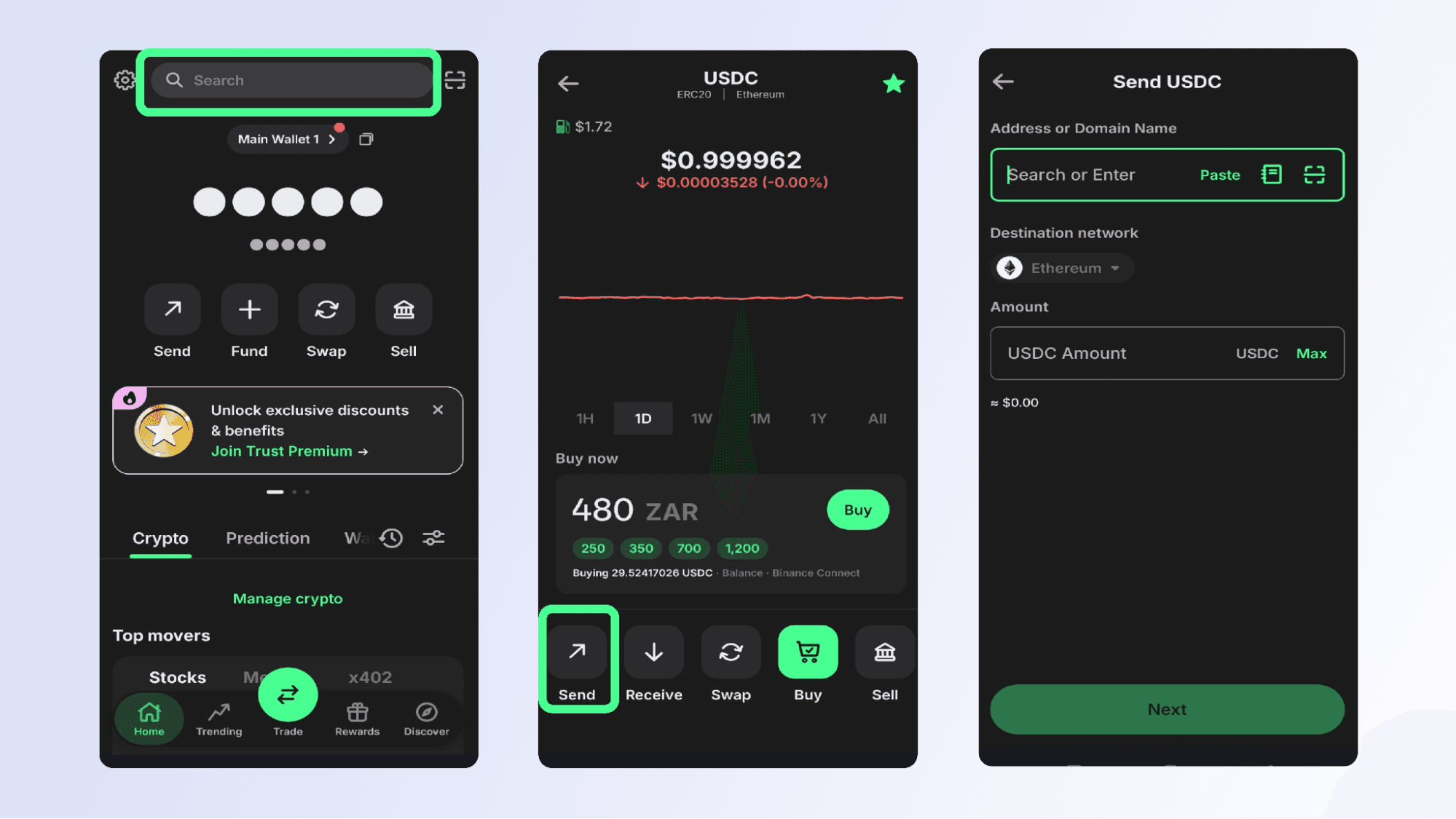
To send stablecoins, open Trust Wallet, select the asset you want to send, enter the recipient's wallet address and the amount, and confirm the transaction. The stablecoin moves across the blockchain directly to the recipient's wallet. Note that all blockchain transactions require network confirmation, so the time it takes for funds to arrive will vary depending on the network and current traffic conditions.
When you send stablecoins peer-to-peer on the blockchain, there are no branch hours, no hold periods, and no intermediary that can freeze or redirect your funds. The recipient receives the stablecoins in their own self-custody wallet, where they remain in full control.
Earning With Stablecoins in Trust Wallet
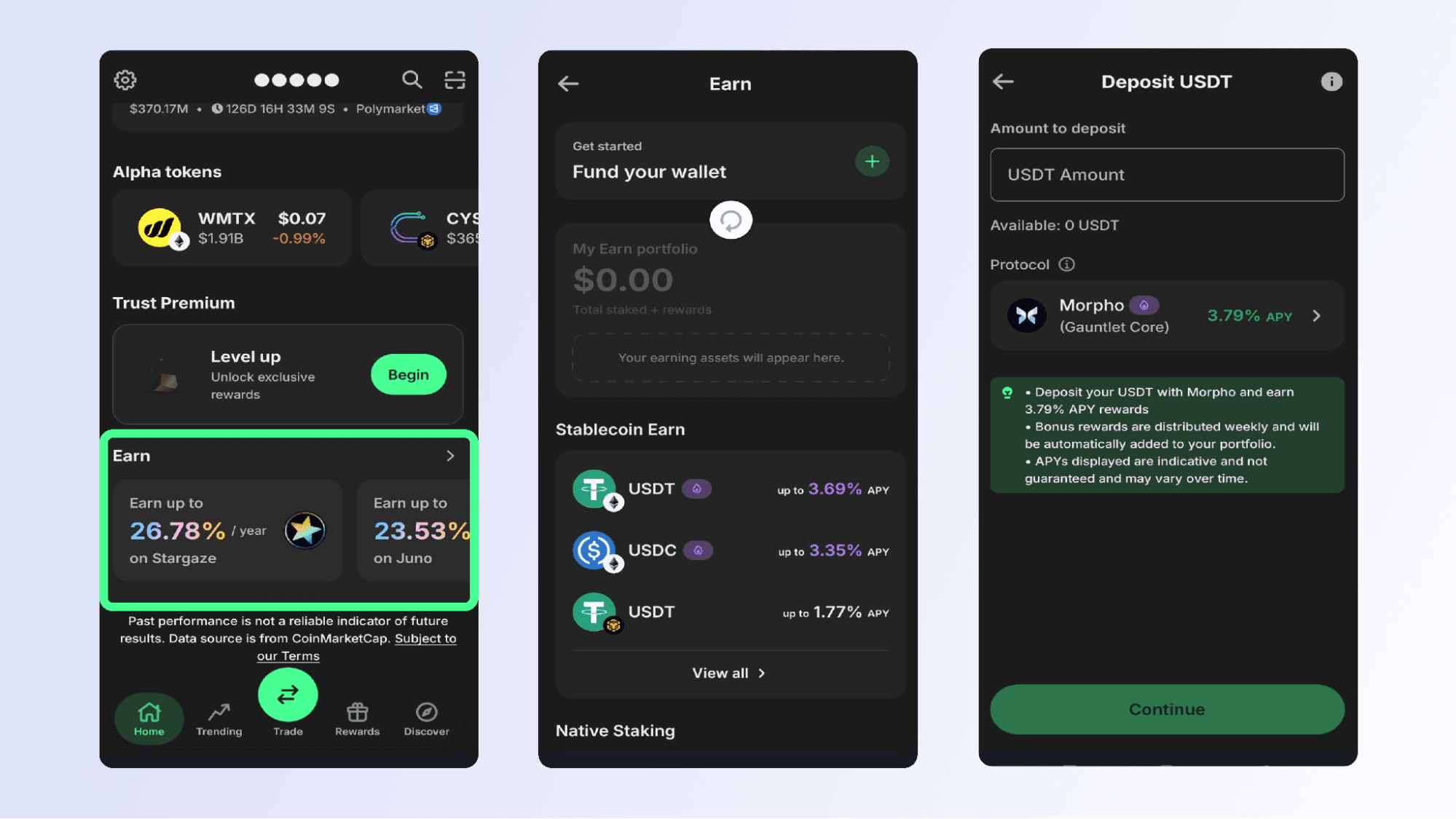
Trust Wallet offers Stablecoin Earn. You can put your USDT or USDC to work by depositing them into DeFi (decentralized finance) protocols directly from within your wallet.
To get started, navigate to the "Earn" section in the Trust Wallet app, select your stablecoin, and choose a protocol. Each option displays the current yield rate. You can withdraw your funds anytime you need to. There are no lock-up periods and you remain in full control of your digital assets throughout the process. Stablecoin Earn is available across Ethereum, BNB Chain, Arbitrum, and Base networks.
Funding Your Wallet With Cash: Meet Coinme
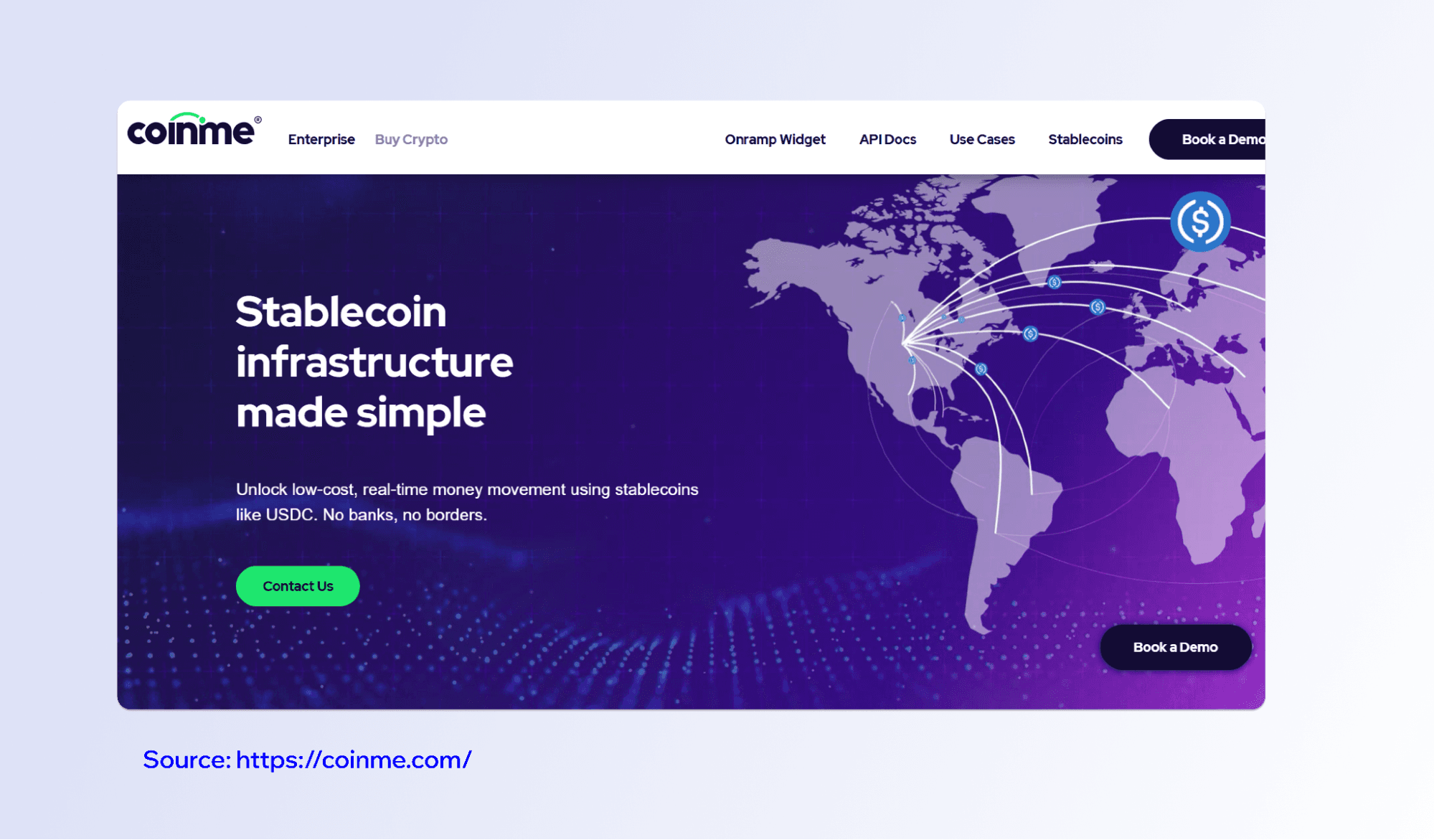
One of the barriers to using stablecoins and crypto for many people is the onboarding process, particularly if you don't have a bank account or debit card. Trust Wallet has addressed this with a Cash Deposits feature powered by Coinme, providing services to U.S. citizens.
Coinme is a licensed cash-to-crypto provider registered as a money transmitter with the U.S. Treasury's Financial Crimes Enforcement Network. Coinme is the largest physical cash-to-crypto network in the United States, with access at over 50,000 retail locations nationwide. Coinme handles all the regulated, licensed services behind the scenes. Trust Wallet is the non-custodial wallet that receives your funds.
How to Fund Your Trust Wallet With Cash
Make sure you have the latest version of Trust Wallet installed. Then follow these steps:
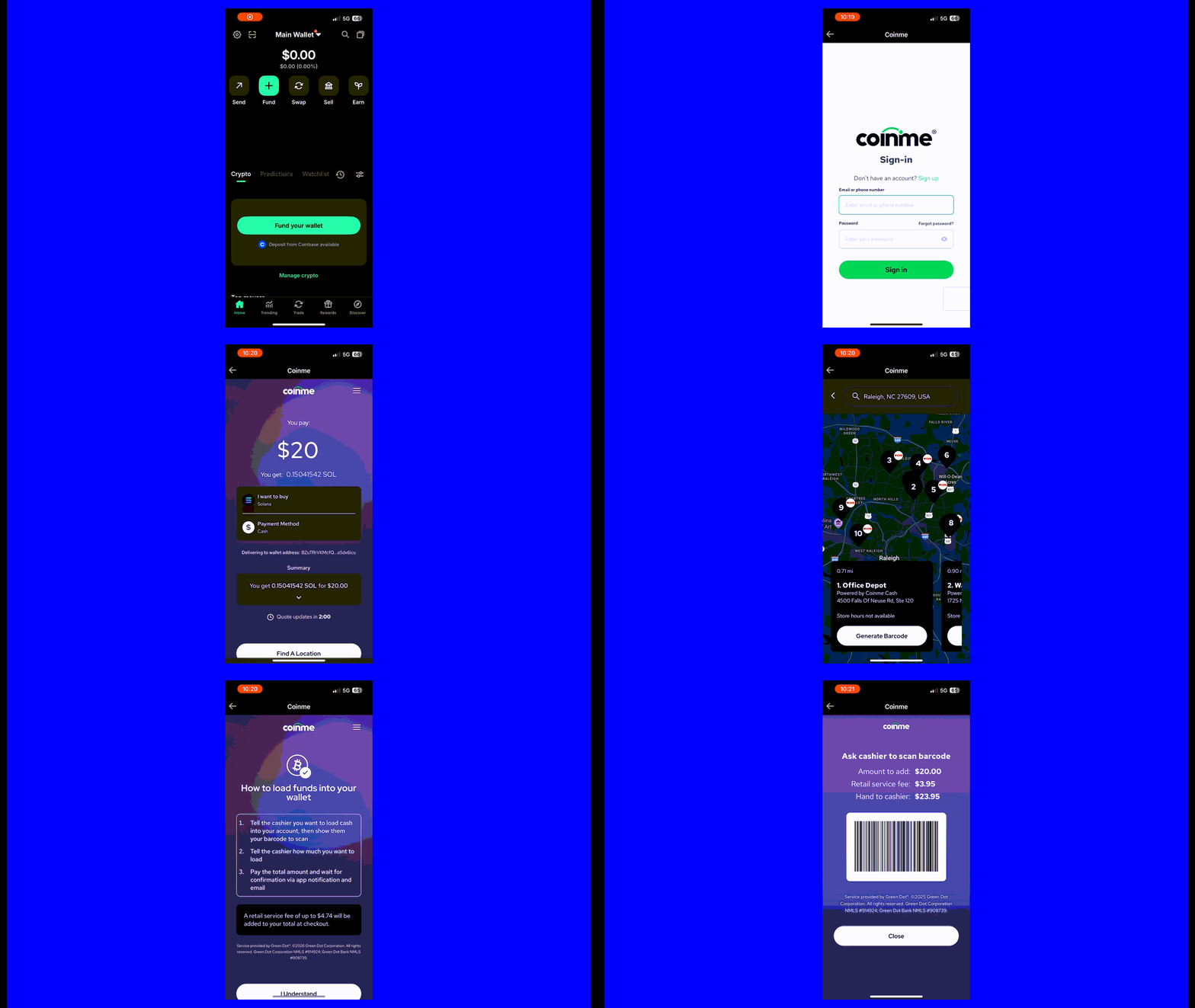
Open Trust Wallet and tap Fund → Deposit Cash.
Select the stablecoin (or other asset like BTC, SOL) you want to receive.
Sign up or log in with Coinme and complete identity verification.
Enter the deposit amount and select a nearby retail location.
Generate a barcode, show it to the cashier, and hand over your cash.
Your stablecoin arrives in your Trust Wallet after payment confirmation and blockchain network confirmation (timing varies).
For full details on what Coinme requires and how your information is handled, you can review Coinme's Terms of Service and Coinme's Privacy Policy. You can also review Trust Wallet's Terms of Service and Trust Wallet's Privacy Notice.
Cash Deposits is available to U.S. users in 48 states. Supported assets are displayed in-app during checkout and include stablecoins. The service carries a 4% service fee plus a $3.95 flat transaction fee per deposit, with all costs shown clearly before you confirm. Additional blockchain network fees may apply depending on the asset and network.
No bank account is required, no card is needed, and Trust Wallet holds no custodial balance on your behalf after the deposit is complete.
Making Digital Finance Work for You
Cryptocurrency is a volatile asset class. The value of digital assets can go up or down. It's important to do your own research before engaging with any crypto assets or Web3 applications. Stablecoins are a useful tool for sending money internationally, preserving value in a digital format, and accessing financial services without relying on a bank. Trust Wallet brings all this together in a single, non-custodial app where you stay in control at every step.
Disclaimer: Before using the service, review the relevant terms and policies: Trust Wallet Terms of Service - Trust Wallet Privacy Notice - Coinme Terms of Service - Coinme Privacy Policy. Cash Deposits is powered by Coinme, a licensed provider of cash-to-crypto services. Available in 48 US states (New York & Texas excluded). Crypto assets are not legal tender and are subject to price volatility. Identity verification is required. This content is for informational purposes only and is not financial or investment advice. Please do your own research before interacting with any crypto assets. Any cited figures are accurate at the time of writing and subject to change. Content is for informational purposes and not investment advice. Web3 and crypto come with risk. Please do your own research with respect to interacting with any Web3 applications or crypto assets.
Join the Trust Wallet community on Telegram. Follow us on X (formerly Twitter), Instagram, Facebook, Reddit, Warpcast, and TikTok
Note: Any cited numbers, figures, or illustrations are reported at the time of writing, and are subject to change.