

Key Takeaways:
WalletConnect enables secure connections between Trust Wallet and thousands of dApps without exposing your private keys.
Always verify dApp URLs, review transaction details, and disconnect sessions when finished to maintain maximum security
You must explicitly approve every transaction in Trust Wallet. dApps cannot execute transfers without your confirmation
WalletConnect is now a core part of Web3, connecting your Trust Wallet to decentralized applications, DeFi platforms, NFT marketplaces, and blockchain games without compromising your security. In this guide, you'll learn what WalletConnect is, why it matters for your Web3 journey, and how to use it safely with Trust Wallet.
Understanding WalletConnect
WalletConnect is an open-source protocol that supports a secure bridge between crypto wallets and decentralized applications. WalletConnect establishes encrypted sessions, rather than entering your private key or recovery phrase every time you want to interact with a Web3 service. When using WalletConnect, the dApp never has direct access to your wallet's sensitive information.
WalletConnect’s infrastructure powers billions in monthly transaction value, supported by over 20 node operators and trusted by more than 700 wallets globally. With support for 70,000+ applications spanning multiple blockchains, WalletConnect has become the standard for secure wallet-to-dApp communication.
What makes WalletConnect particularly powerful is its chain-agnostic design. Whether you're interacting with Ethereum, Polygon, BNB Chain, or any other supported network, WalletConnect handles the connection seamlessly. The protocol's end-to-end encryption ensures that all communications between your Trust Wallet and connected dApps remain private and secure.
Why Use WalletConnect with Trust Wallet?
Trust Wallet's integration with WalletConnect unlocks the full potential of Web3 while keeping your assets secure. Only transaction signatures, your explicit approvals, travel between your wallet and the application.
The protocol eliminates the need for centralized intermediaries. You stay in complete control of your funds and data, approving or denying each request from connected dApps. Autonomy is fundamental to the Web3 philosophy. You're not trusting a third party to protect your assets. You're relying on cryptographic security and your own careful decision-making.
For Trust Wallet users, WalletConnect lets you safely explore the expanding universe of decentralized services without downloading other apps or compromising security. Whether you're staking tokens on a DeFi protocol, minting NFTs, or participating in decentralized governance, the connection remains secure and under your control.
Using WalletConnect with Trust Wallet:
Step 1: Install Trust Wallet
If you haven’t already, download and install the Trust Wallet app from the App Store (iOS) or Google Play (Android). Set up your wallet by creating a new wallet or importing an existing one using your recovery phrase.
Step 2: Open the dApp on Your Browser
Navigate to the website of the decentralized application you want to use on your desktop or mobile browser. Most dApps have a "Connect Wallet" button, which lets you link your wallet to their platform.

Step 3: Select the WalletConnect Option
Once you click on "Connect Wallet," a list of supported wallets will appear. Select WalletConnect as your connection method. This will generate a QR code or, if you're on a mobile browser, an option to directly connect.

Step 4: Open Trust Wallet and Scan the QR Code
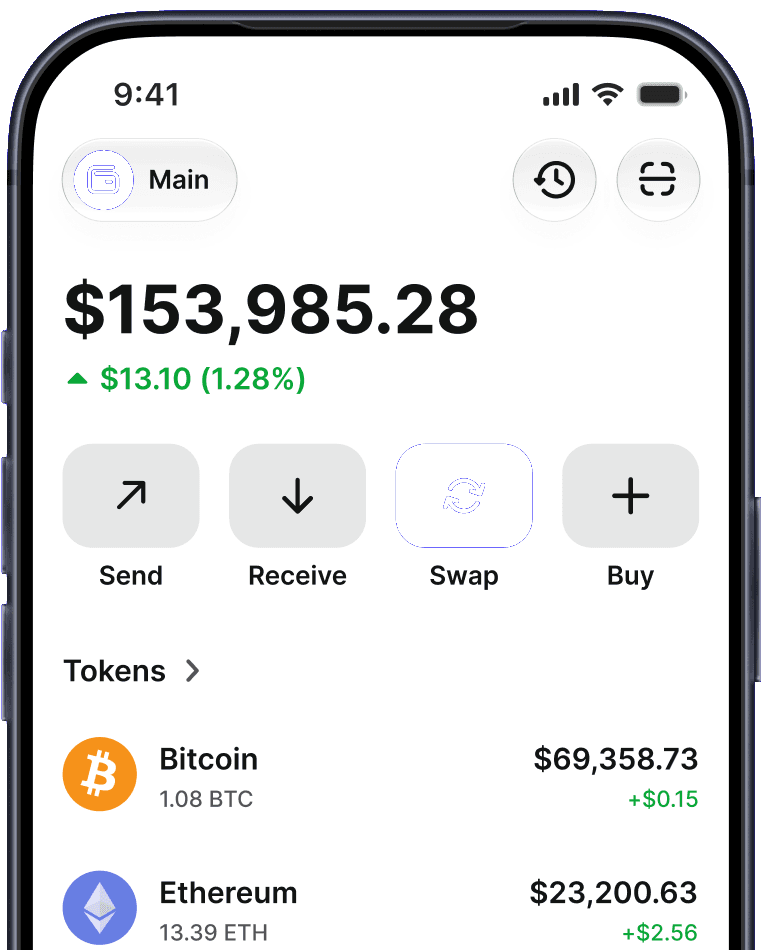
On your mobile device, open the Trust Wallet app. Navigate to the “Scan QR code” button near the top right of your home screen. Scan the QR code from the dApp, initiating the connection between Trust Wallet and the dApp.
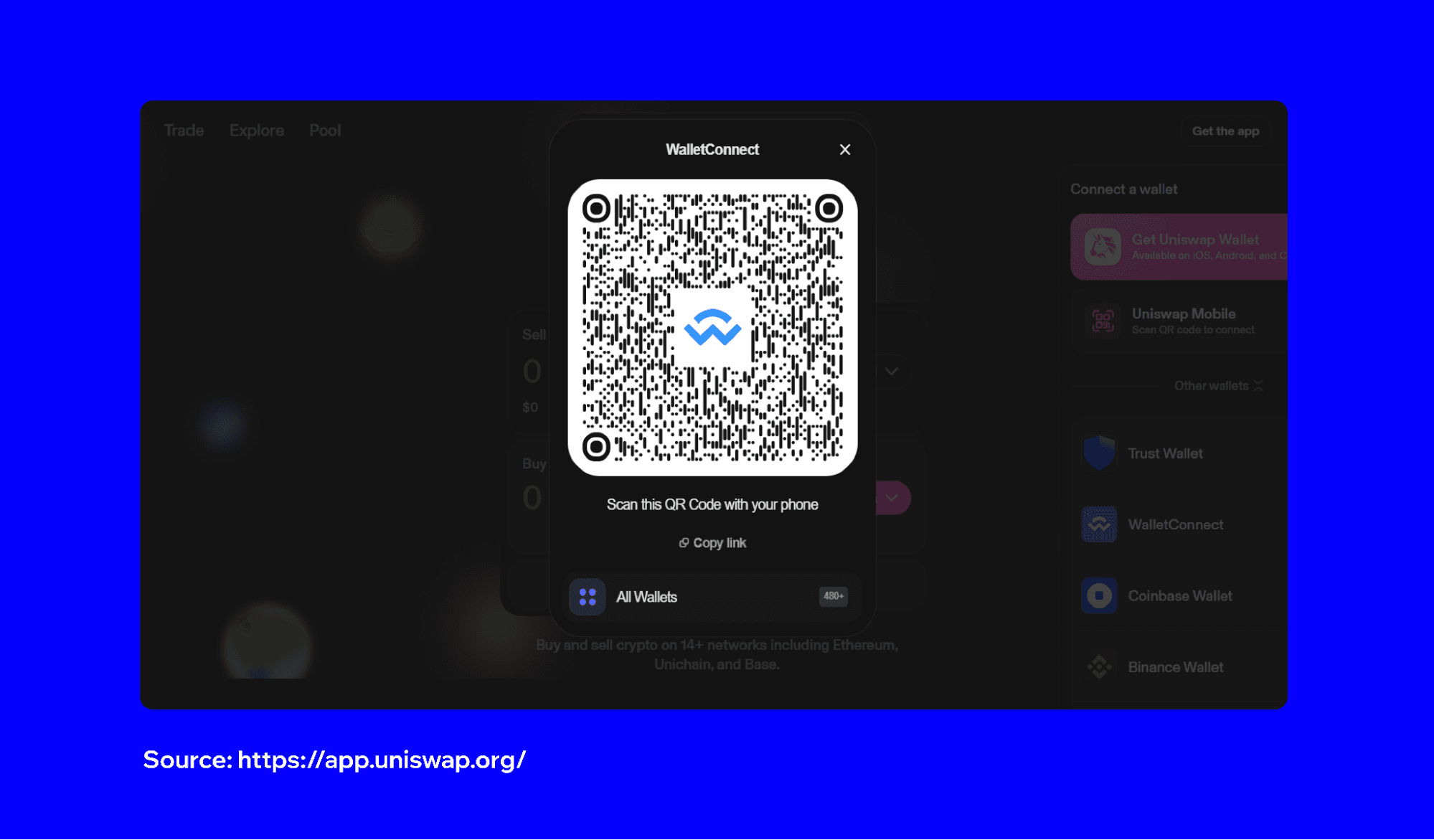
Step 5: Approve the Connection
After scanning the QR code, Trust Wallet will display a connection request. Review the details, then tap "Connect" to approve the connection. Once approved, your wallet is successfully linked to the dApp, and you can start interacting with it - whether you're trading, staking tokens, or making other transactions.
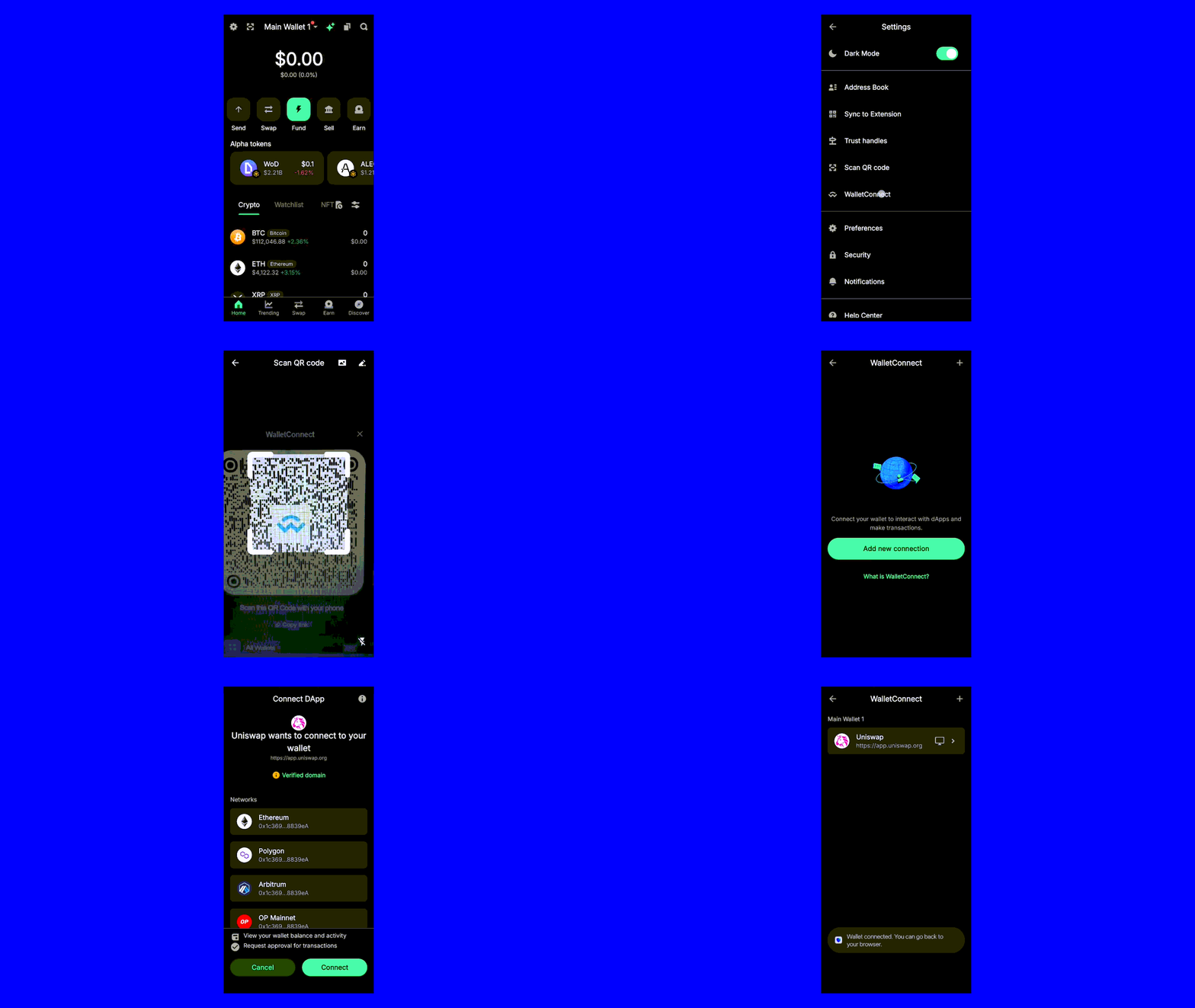
Step 6: Confirm the Connection in the dApp
After approving the connection in Trust Wallet, return to the dApp. You should see that your wallet is now connected and ready for use. You can now perform transactions or interact with the dApp, using your Trust Wallet.
Security Best Practices
While WalletConnect provides robust security through encryption, your vigilance is important:
Verify URLs always: Before connecting, double-check that you're on the legitimate website. Phishing sites may look identical but have slightly different URLs.
Review transaction details: Never approve transactions blindly. In Trust Wallet, carefully examine the recipient address, amount, and network fee before confirming.
Disconnect when finished: After completing your interactions with a dApp, disconnect the session.
Only connect to reputable dApps: Stick with well-known, established platforms. Research any unfamiliar dApp before connecting your wallet.
Monitor permissions: Be cautious if a dApp requests unexpected permissions or asks for access to multiple networks when only one is needed.
Keep Trust Wallet updated: Regular updates include security patches and improvements. Always use the latest version of the app.
Managing Your WalletConnect Sessions
Active session management is important for your crypto security. In Trust Wallet, you can view all active WalletConnect sessions by going to Settings and selecting the WalletConnect section. Here you'll see every dApp currently connected to your wallet. You can disconnect individual sessions or end all connections at once.
Regular session reviews, weekly or after each major Web3 interaction, help ensure you're not maintaining unnecessary connections. If you see a session you don't recognize, disconnect it immediately and review your recent transaction history.
Building Confidence in Web3
Learning to use WalletConnect with Trust Wallet opens up the full potential of decentralized finance, NFT markets, and blockchain applications while maintaining complete control over your assets. The combination of Trust Wallet's user-friendly interface and WalletConnect's secure protocol makes participating in Web3 both accessible and safe.
WalletConnect is the trusted infrastructure connecting people to thousands of applications across multiple chains. When you follow the safety practices outlined in this guide, you can confidently explore DeFi platforms, collect NFTs, and engage with Web3, all while keeping your crypto secure.
Download Trust Wallet Disclaimer: Content is for informational purposes and not investment advice. Web3 and crypto come with risk. Please do your own research with respect to interacting with any Web3 applications or crypto assets. View our terms of service. Join the Trust Wallet community on Telegram. Follow us on X (formerly Twitter), Instagram, Facebook, Reddit, Warpcast, and Tiktok
Note: Any cited numbers, figures, or illustrations are reported at the time of writing, and are subject to change.